Call tracking and attribution for premium auto shops
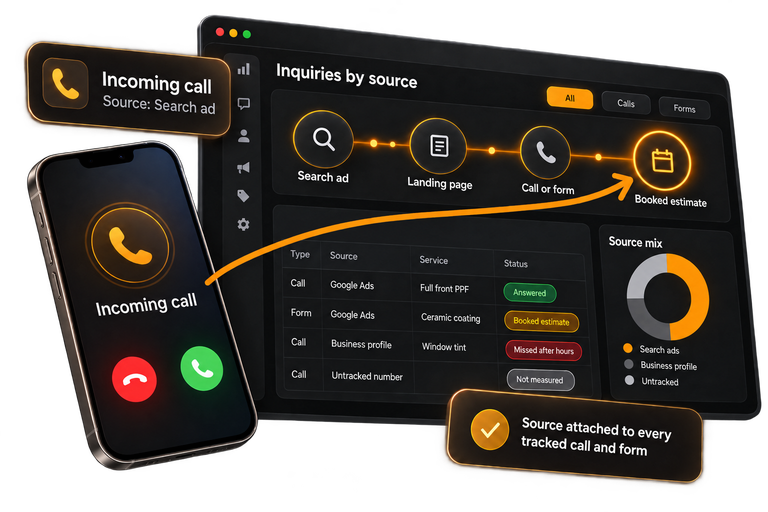
Some ads book estimates. Some only spend. We show which ad sent each tracked call and form, and which ones booked, once your shop logs them.
Stage 3: Track the inquiry
Read the measurement definitionsPublished prices. No ad markup. Your accounts stay yours.A 90-day launch with written dates. Miss one and you can leave with 30 days' notice. Then month to month, 30 days' notice, no automatic new term.
- Plans
- Booked Estimate System plan; Revenue System plan adds sold-job value sent to Google
- Paid separately
- Ad spend, paid by your shop to Google. Tracking software, apart from our fees.
- Measured to
- Booked estimates; sold jobs when your shop logs them
Booked Estimate System
Where tracking sits in the path
Tracking is the third of six stages. The three after it use what it records to follow each tracked inquiry.
-
Capture demand
-
Convert the visit
-
Track the inquiry
-
Check fit and response
-
Trace booked estimates
-
Connect sold jobs
What we track
Each tracked call and form carries the campaign and ad that sent it.
Your team and ours set up tracking numbers for calls and source tags on web forms, then test them. The weekly report shows tracked inquiries and logged bookings by campaign and ad, and what it can't see.
Included
- Tracking numbers set up with your team
- Source tags added to web forms
- Inquiries tied to campaign and ad
- Logged bookings matched to inquiries
- Untracked channels named in the report
Written definitions
What we count, and how
The definitions we use in reports, from inquiry to sold job. Each names its data source and its limit.
-
Inquiry
-
Qualified opportunity
-
Booked estimate
-
Sold job
Every number names its period, source, and definition. If a record is missing, the report says not measured.
FAQ
Questions about tracking
Short answers on sources, software, sold jobs, and your Google listing.
The audit is a 4 to 5 page written report on where inquiries may stall.
Calls to a tracking number and tagged forms show their campaign. Referrals and walk-ins show only if your shop logs them.
Google says the number on your listing must stay under your direct control. Ask which number goes there before launch.
Yes, a call tracking tool. Our default is WhatConverts. It is a separate line from our fees, so you see what the software costs apart from what you pay us.
If you leave, we return or transfer the ad accounts, analytics and tracking assets, business data, and CRM exports that belong to your shop. Tracking numbers can be ported out. Landing pages we build stay with Bookend.
No. Calls to untracked numbers and walk-ins nobody logs are missing. The report names those gaps.
Yes, if each sale is logged with its source. Sending sold-job value to Google is part of the Revenue System plan.
Sound familiar?
Google Ads never hears which clicks booked an estimate. What we do: Booked estimates sent back to Google Ads, once your shop logs them.
Your agency reports clicks, not booked estimates. What we do: A weekly report: calls, booked estimates, cost.
From shops we work with in Caracas, Venezuela. Each figure shows its period and source, and each shop agreed to share its case.
Next
Report target: 1 business day after we have the information and access.
- Top-priority leaks found
- Evidence behind each
- Recommended next actions
Start with a Revenue Leak Audit
Free to request. 15-minute fit call. The $750 audit only if you choose it.